October 7 2026 – using CLI with AbracaDABra 4.3.0

With AbracaDABra 4.3.0 Petr Kopecký added Command Line Interface (CLI) support.
The CLI is incompatible with older versions.
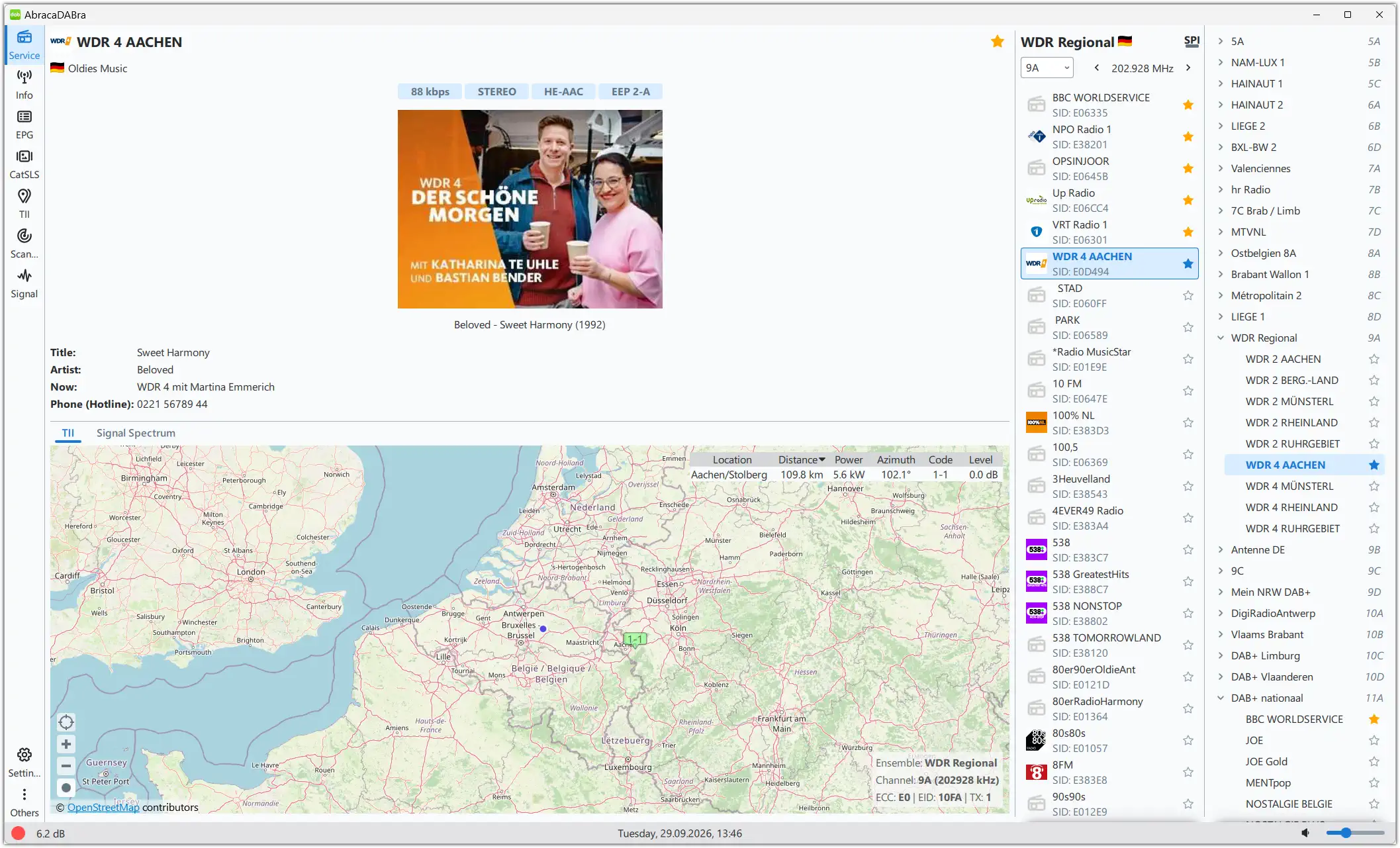
I tested this on my Windows 11 computer, and despite a few misunderstandings, it worked quite well.
Verify that AbracaDABra isn’t running and that you’re using an RTL-SDR device.
To use the CLI, open the command line by pressing the Windows key and typing ‘cmd’ (n ‘ ‘).
You don’t have to run it with admin rights.

First navigate to the AbracaDABbra install folder/directory using cd\ commands.
On my computer AbracaDABra 4.3.0 is installed in this folder:
C:\Radio\AbracaDABra4. Make sure you use your correct AbracaDABra path!
So a ‘cd C:\Radio\AbracaDABra4’ command (no ‘ ‘) will quickly navigate to the correct folder in the CLI.
Beware of typos in your command!
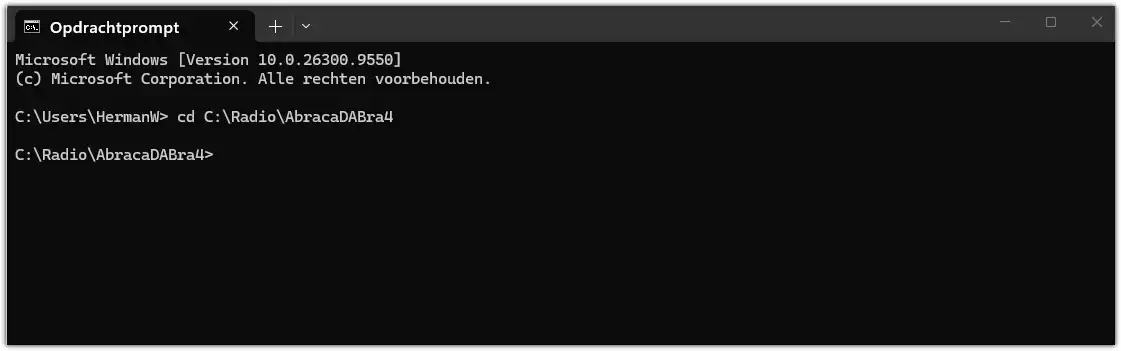
Navigate to the AbracaDABra directory

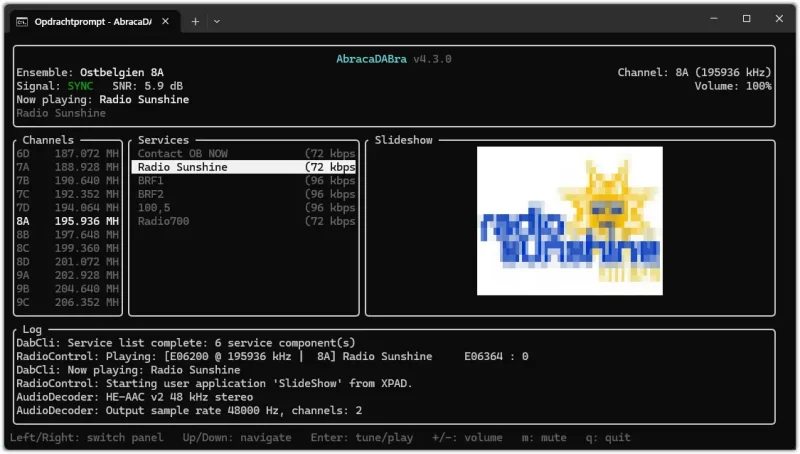
Now entering the ‘AbracaDABra –cli’ command will open up a CLI user interface.
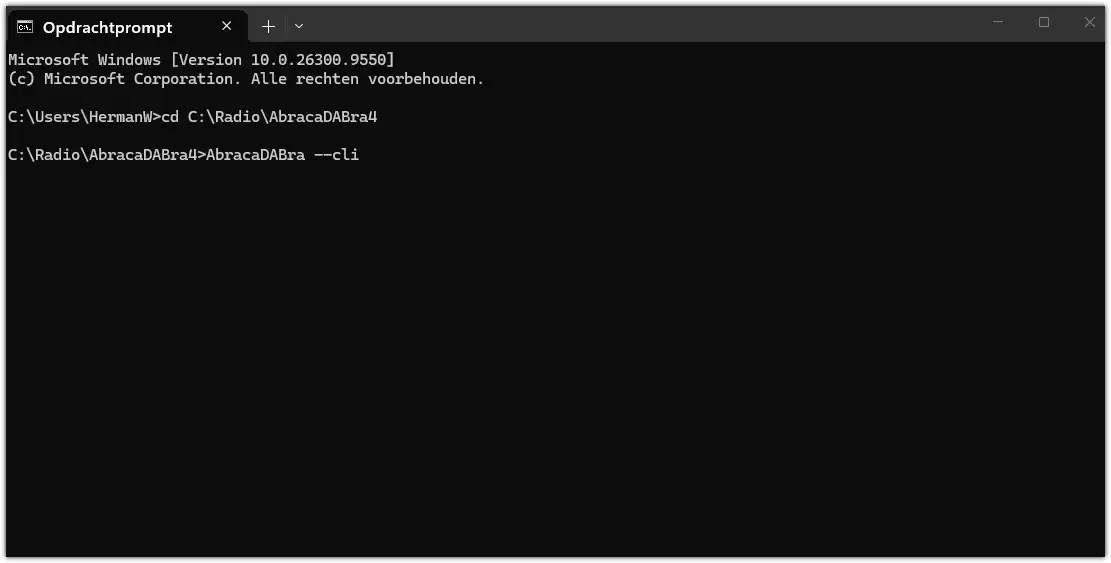
Open a CLI UI
Open a CLI UI
CLI UI
CLI UI

You can also run this in a browser on any machine, including Android smartphones, in your network.
Command on my machine:
‘C:\Radio\AbracaDABra4>AbracaDABra –cli -p 9091 –bind 10.0.0.10’ (no ‘ ‘).
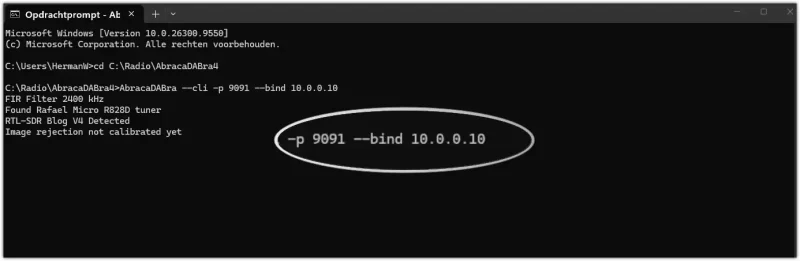
Command line to open a browser Web UI

The ‘-p 9091’ refers to the port you want to use. Make sure to choose an unused port.
How to check which ports are in use on your computer? Open a command prompt as administrator and run this command:
‘netstat -ab’ (no ‘ ‘).
What’s ‘–bind 10.0.0.10’? That’s the IP address of your network.
In this case the address of my local network mesh satellite.
How to find your IP?
Again open a command prompt and use this command: ‘ipconfig’.
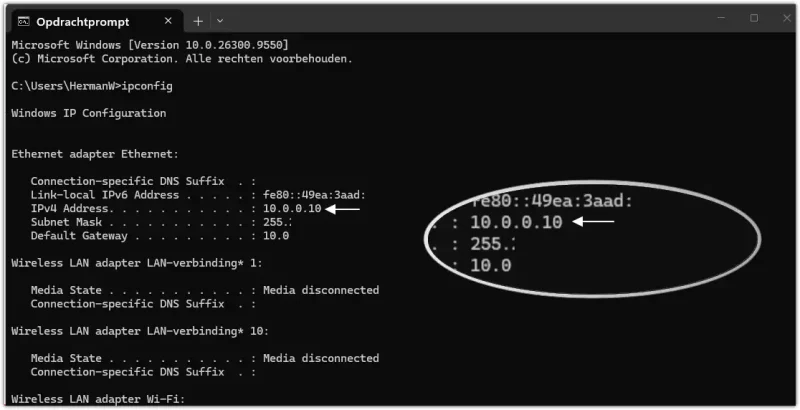
IP Config
IP Config

Open on browser on any machine in your network and use the address found with the ipconfig command.
So the URL in my browser will be 10.0.0.10:9091 .
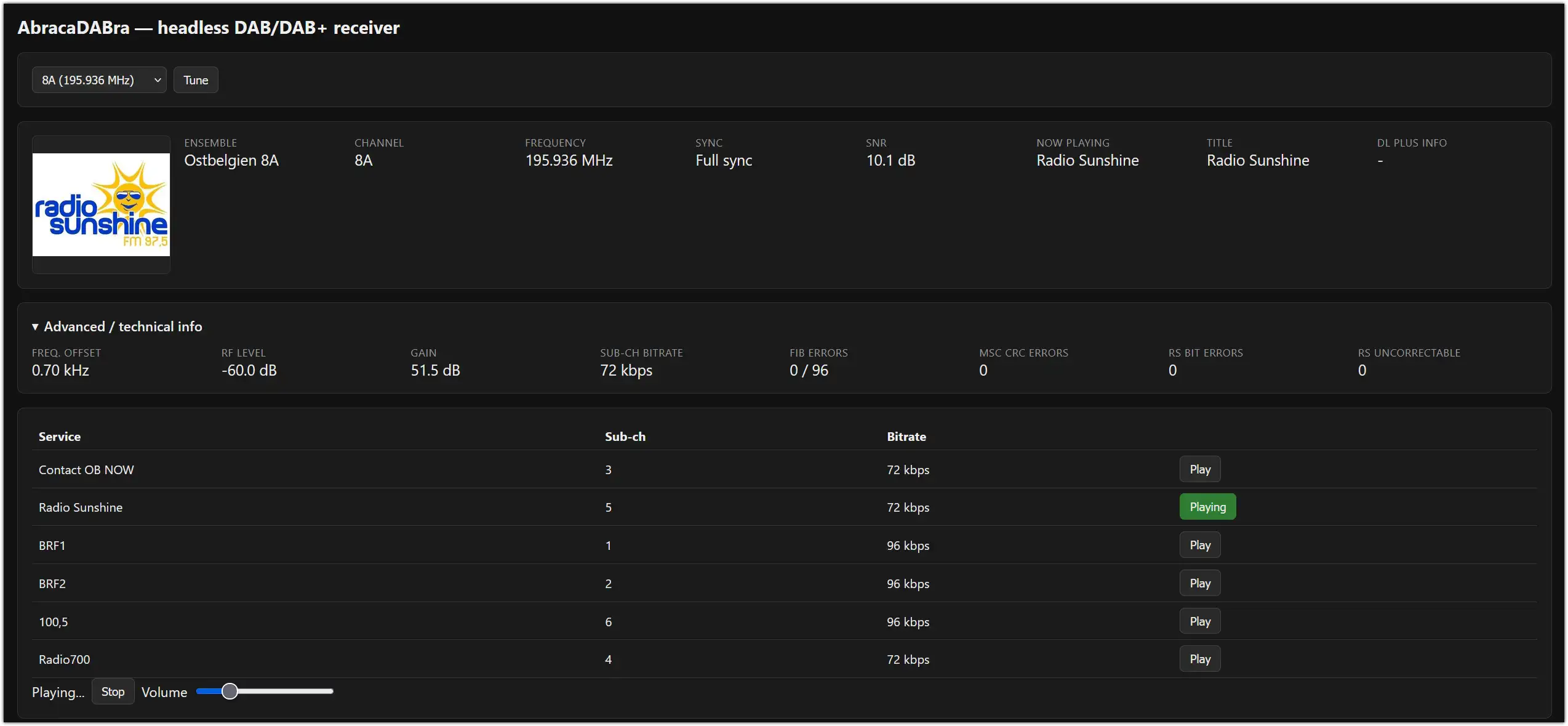
Web UI
Web UI

° Can you use your regular AbracaDABra GUI with a command?
Yes, you can. Use this command: ‘C:\Radio\AbracaDABra4>AbracaDABra’ (no ‘ ‘).
° Should the same port always be used? Not all. Some ports seem to be to improve the SNR in the CLI and Web UI a bit.
° What if this CLI stopped working after e.g. having it running in a .bat file?
Just turn the AbracaDABra folder back to yesterday (Settings – previous version).
AbracaDABra settings will be gone, so make sure you have a back-up of the AbracaDABra settings.
° What’s the use of this CLI feature?
AbracaDABra users with a more technical background may find this an attractive option.
Moreover it’s a bit of fun having AbracaDABra in the shack activated by a command line and then checking in another room or the garden if it’s still working well.

October 5 2026

MHz Block UTC ITU Ensemble + Location Details Remarks km TII
178.35 5C 0813 D DR Deutschland, Sieglitzberg (Lobenstein) (thü) Presumed due to colliding subID 490km 2605
229.07 12D 0716 HOL Flevoland, Lelystad/Cellnex toren (fle) 177km 2207
…
Click HERE to view all DAB logs and maps.

MHz UTC ITU Program + Location Details Remarks km
92.10 0757 D NDR 2, Torfhaus (Harz-West) (nds) PS: NDR_2, PI: D382 via webserver 413km
89.40 1243 I Radio Margherita, Foggia/Villaggio Artigiani-Via Tressanti 1 traversa (fg) PI logged: 5242 PS logged: MARGHRTA 1345km
…
Click HERE so view all FM logs and maps.

September 29 2026 – AbracaDABra 4.3.0 released.

Petr Kopecký. has just released AbracaDABra 4.3.0. and it can be downloaded here.
New features in 4.3.0.

AbracaDABra 4.3.0

° RTL-TCP input device has better support for bandwidth selection (if the server allows it) and the connection timeout handling has been improved.
° SDRPlay devices run more stable now.
° New Command line interface (CLI). Run AbracaDABra –cli –help to check this out.
° Pause/resume when the scanner runs in endless mode.
° The scanner table follows the last row.
° Only the current ensemble can be shown in the tree.
° Configurable slide show image scaling.
° A timestamp has been added in SLS/SPI data storage patterns.
° The SNR plot X axis shows system time.
° SNR statistics are shown in the signal view. The application evaluates minimum and maximum SNR since the tuning or since the user opened the signal view.
° RadioDNS optimisations.
° Bug-fixes.

September 21 to 25 2026

MHz Block UTC ITU Ensemble + Location Details Remarks km TII
178.35 5C 1714 D DR Deutschland, Saalfeld/Remda/Kalmberg (thü) Presumed due to colliding subID 454km 2608
239.20 13F 2221 NOR NRK Reg3 SørRog, Greipstad/Eidsåvegen (va) 828km 3812
…
Click HERE to view all DAB logs and maps.

MHz UTC ITU Program + Location Details Remarks km
102.50 0159 D hr4, Großer Feldberg (Taunus)/hr (hes) BELFM autologged PS: ?, PI: D364, Signal: 36 dBµV via fmdx.org webserver 277km
91.50 0454 D MDR JUMP, Brocken (san) BELFM autologged PS: MDR_JUMP, PI: D3C2, Signal: 24 dBµV via fmdx.org webserver 419km
…
Click HERE so view all FM logs and maps.

August 29 to September 8 2026

MHz UTC ITU Program + Location Details Remarks km
95.30 0744 BUL BNR Hristo Botev, Nesebar/Slanchev bryag-RRTS Edelvays PS: HR.BOTEV, PI: 8220 via webserver 1955km
97.00 0753 TUR Radyo Fenerbahce – Istanbul, Istanbul/K.Camlica TV Tower ) PS: RADYO_FB, PI: 34BF via webserver 2169km
…
Click HERE so view all FM logs and a map.

August 28 2026

MHz UTC ITU Program + Location Details Remarks km
87.80 0847 BIH BH Radio 1, Capljina/Crno brdo (hgn) PI logged: F201 1310km
95.20 0848 ALB Radio One, Tiranë (Tirana)/Fushë Dajt (tir) PS: ONE, PI: 93C2 via webserver 1581km
97.10 1255 POR Mega Hits, Monchique/Fóia (agv) PS: MEGAHITS, PI: 844E via webserver 1849km
…
Click HERE so view all FM logs and a map.

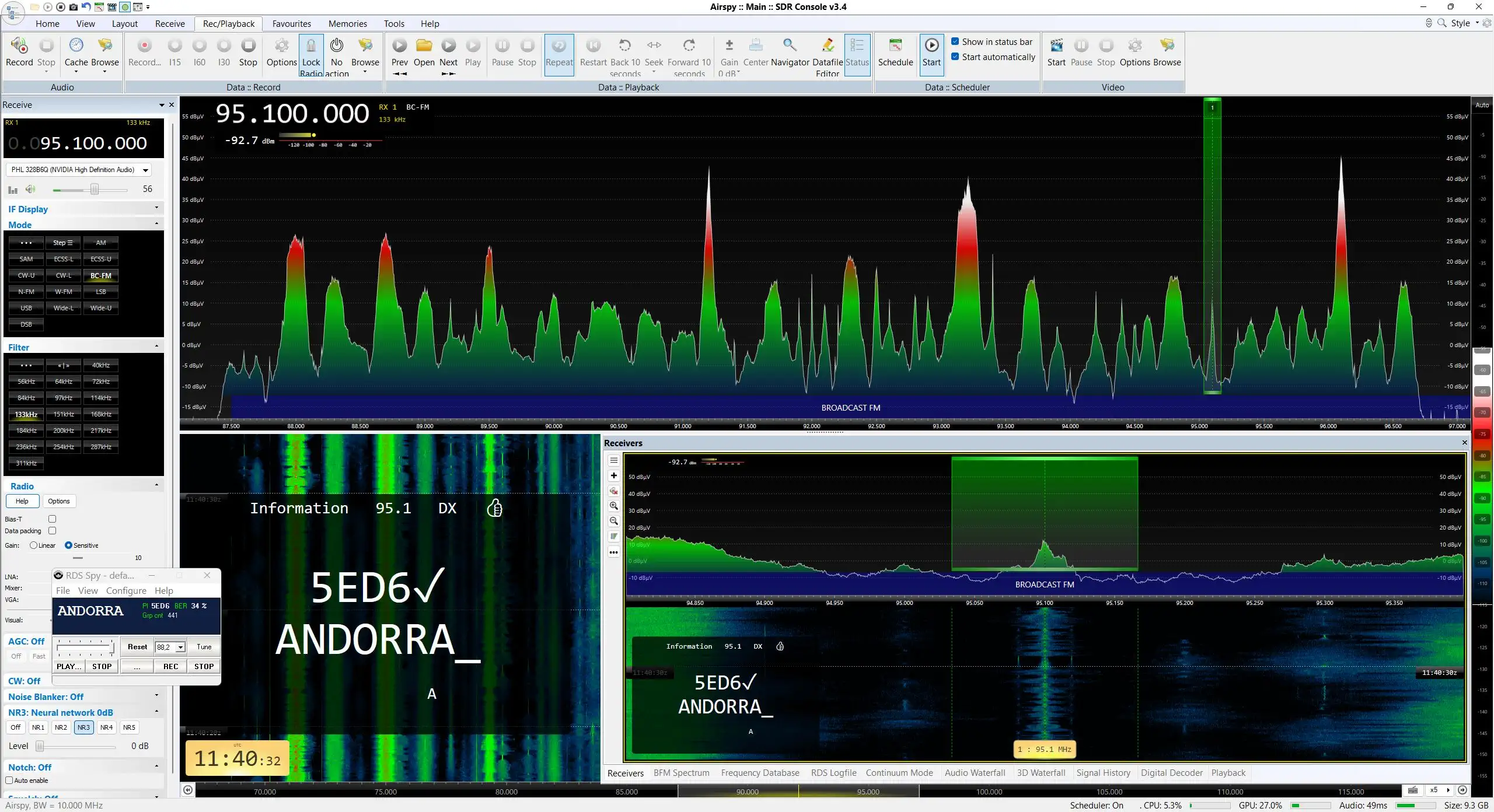
E Cadena Dial Andorra-San Macario
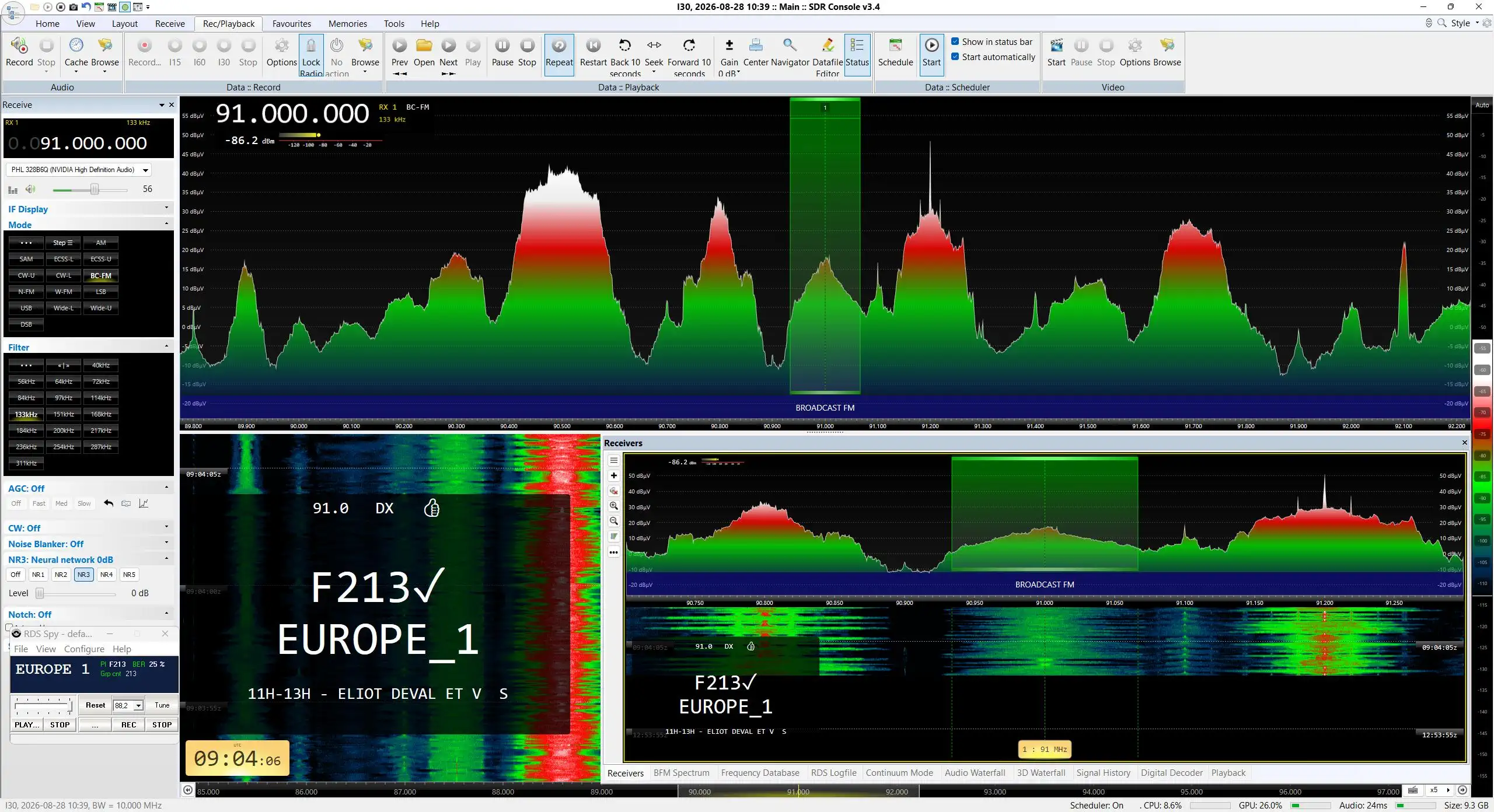
Europe 1 Ajaccio/Coti-Chiavari Pinselli
F Europe 1 Ajaccio/Coti-Chiavari Pinselli